
Track the game
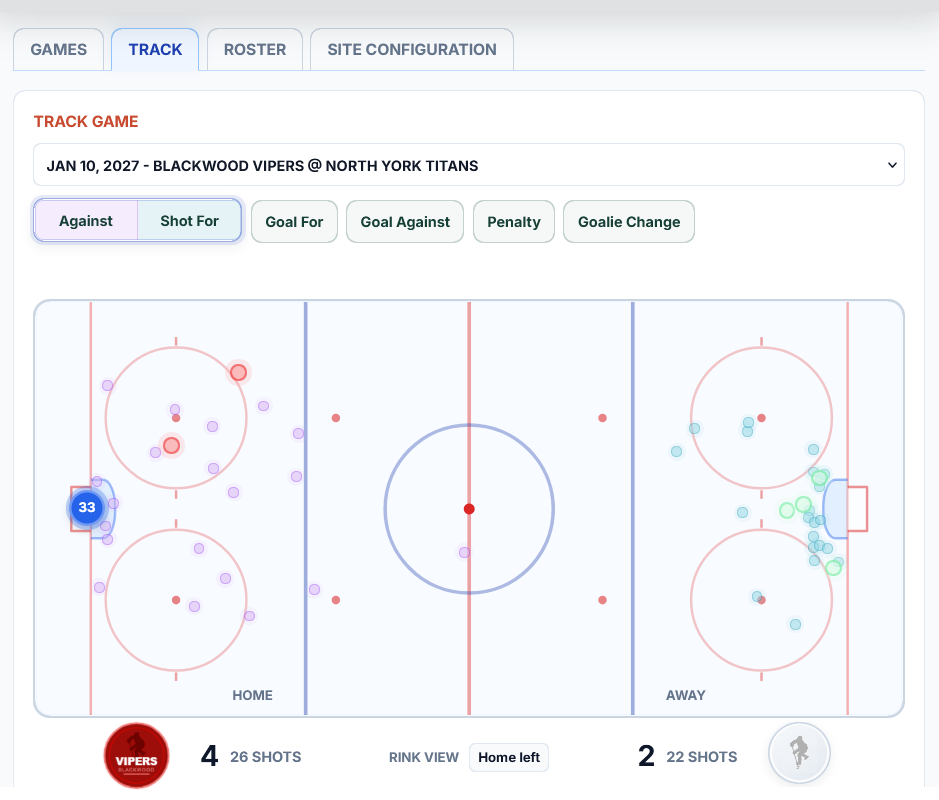
Use a quick event-by-event workflow at the rink, or enter the same events later from video, notes, or the scoresheet.
Try event entryBuilt for hockey coaches
Bring your roster, game events, and review footage together under one private roof. Simple input, instant coaching clarity.
One workflow, clearer decisions
You do not need cameras in the rafters or a full-time analyst. Start with goals and the players on the ice. Add shots, penalties, or video moments when they help answer a coaching question.
Use a quick event-by-event workflow at the rink, or enter the same events later from video, notes, or the scoresheet.
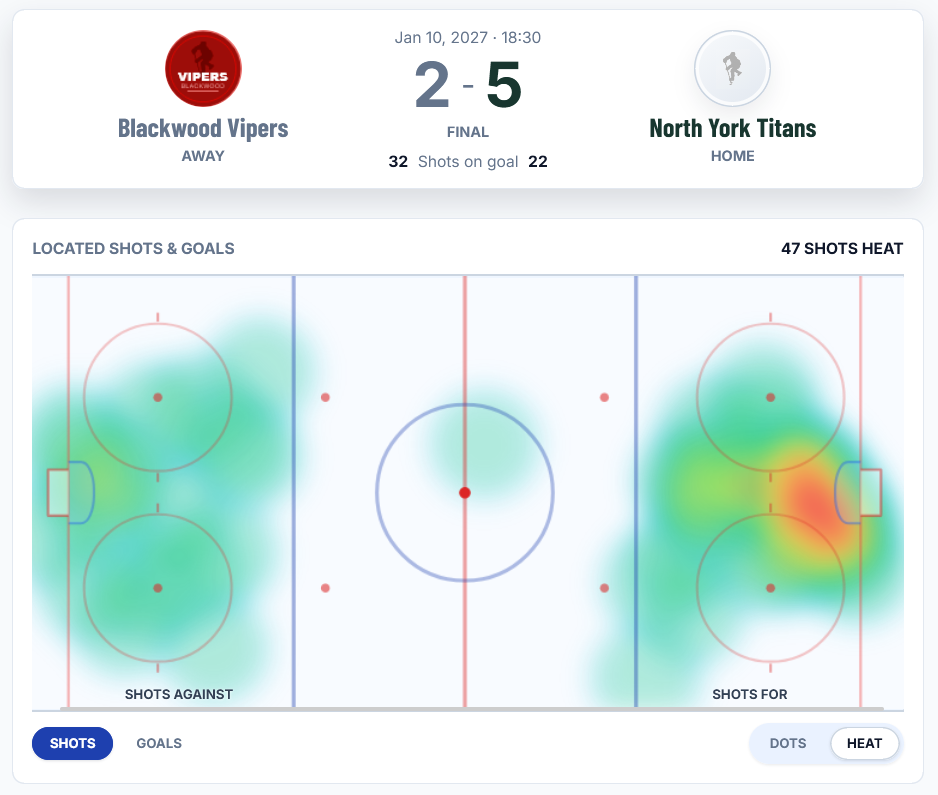
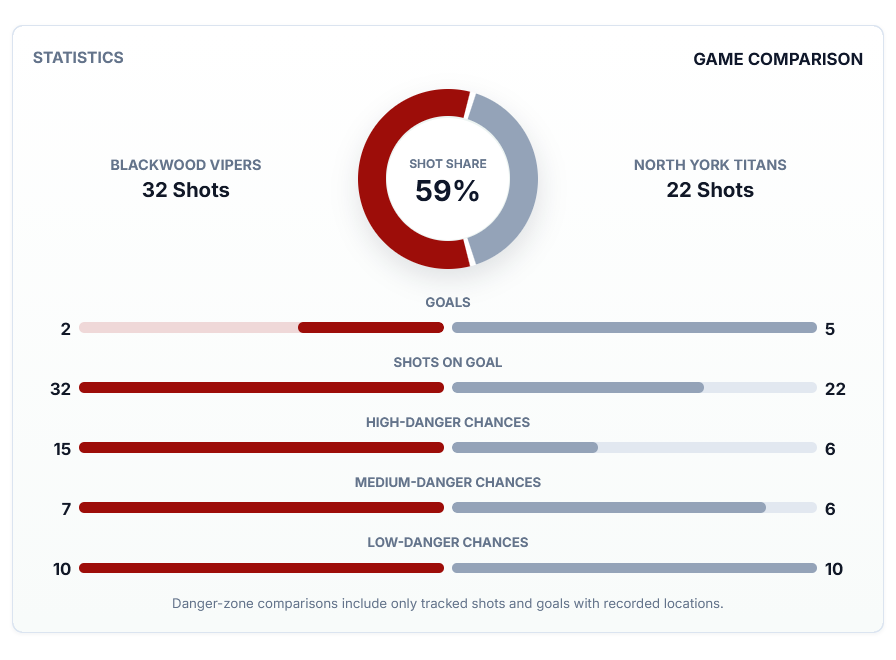
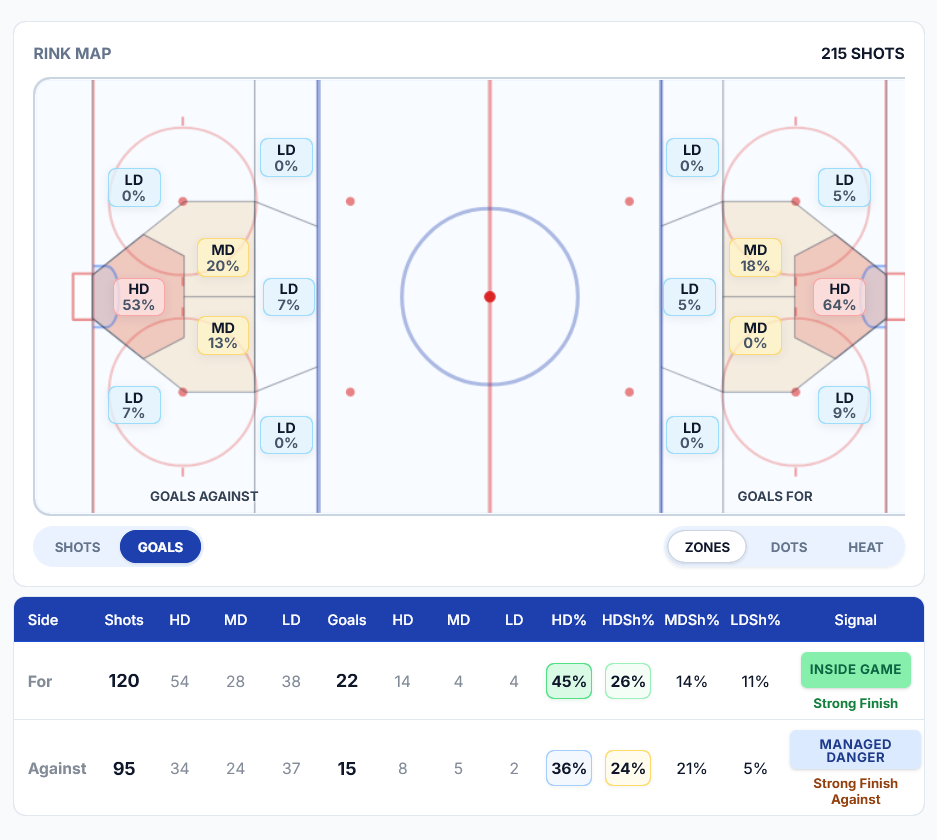
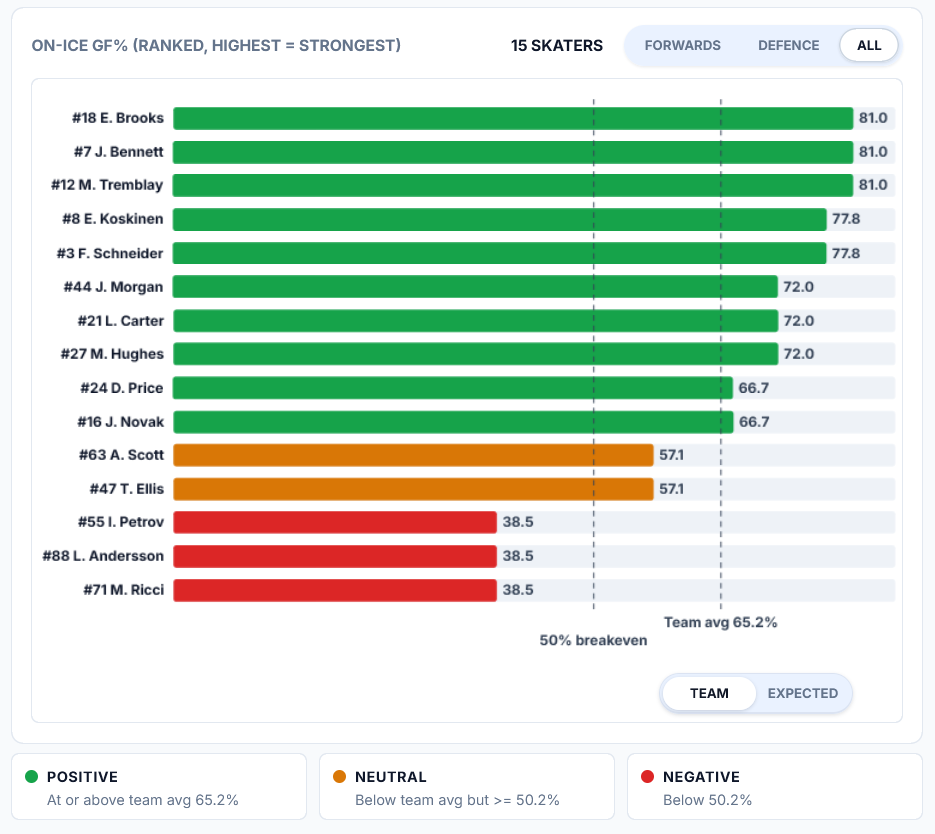
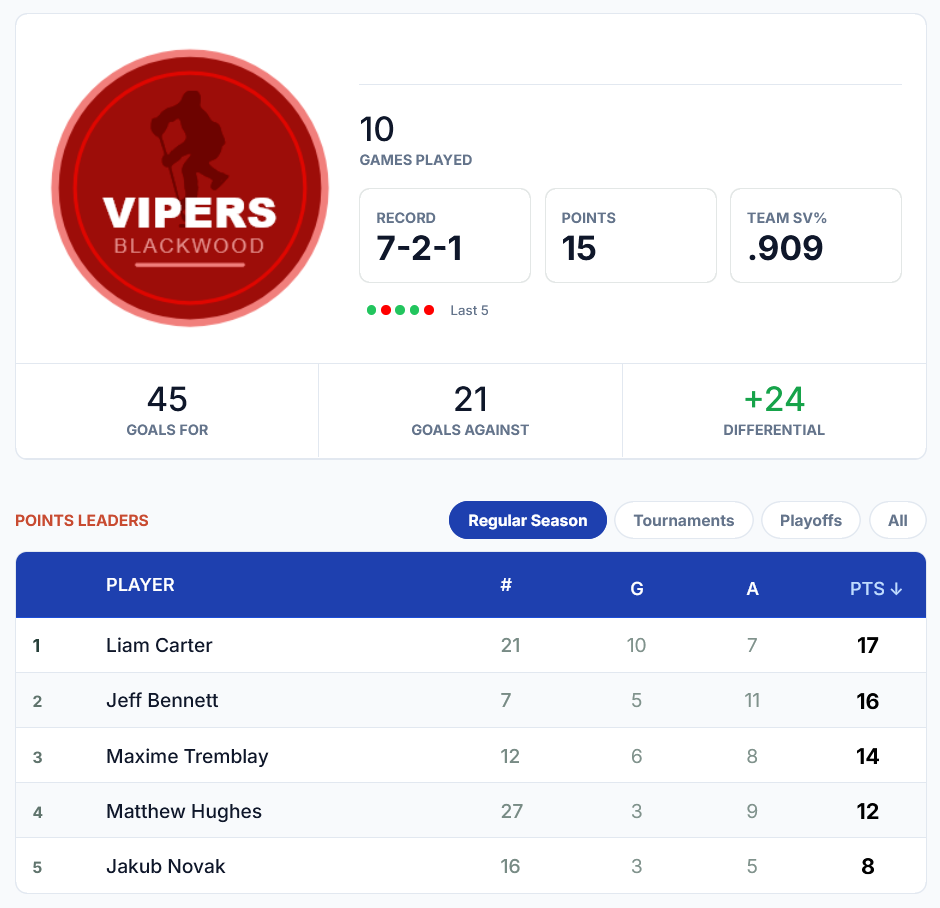
Try event entryReview line performance, scoring profiles, shot maps, goalie results, player trends, and on-ice impact without building reports.
Explore analyticsBring game notes, selected video clips, captured frames, and team context together for the staff who need them.
Open Game ReviewYour existing game film can do more
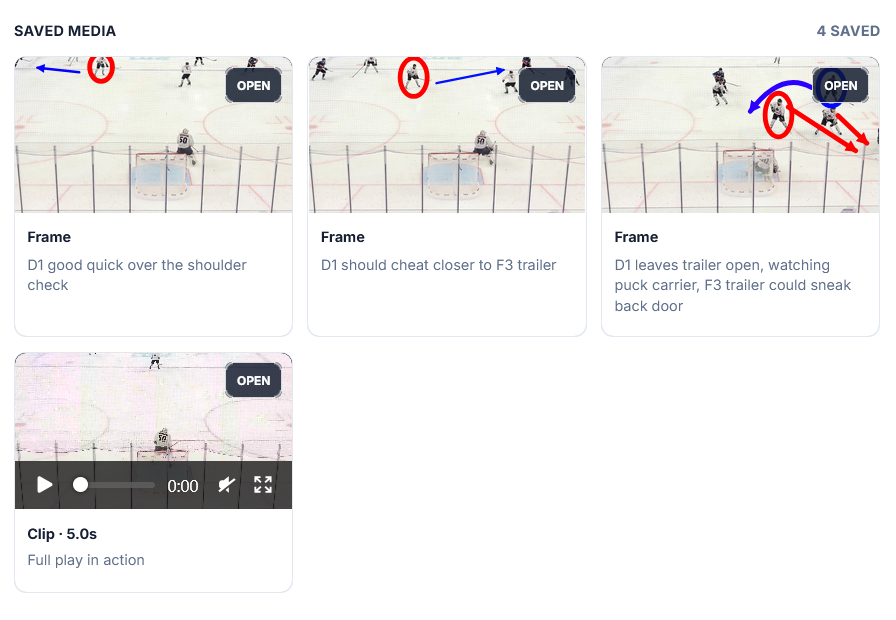
While watching any recording, log the players on the ice for goals and the moments your staff wants to revisit. Connect those events to line results, shot locations, coaching notes, and saved review media.
See how fast entry worksSimple setup
Create the site, add the information you already have, and invite approved staff. More detailed tracking can grow with your coaching needs.
Start free with a private home for your roster, schedule, results, and core statistics.
Enter the basics first. Record game events only when your team is ready to use them.
Give coaches and trainers secure access to the same team information and review tools.
Choose the tradeoff that fits
Stats Beaver prioritizes flexibility and coach-controlled accuracy. It complements whatever recording setup you already have, including no video at all.
| Comparison area | Stats Beaver Coach-controlled analytics | Automated video analytics Camera-derived analytics |
|---|---|---|
| Rink coverage | Works at any rink. | May depend on a supported venue, camera system, or compatible recording. |
| Game footage | Use Stats Beaver while reviewing footage from any camera system or personal recording—or track without video. | Requires usable footage in a format the platform can process. |
| Player identification | Team staff identify players using their knowledge of the roster. | Software must infer player identities from the footage, and those identifications may not always be accurate. |
| Footage quality | Team staff can combine what they see with roster knowledge and game context. | Low light, poor camera angles, blocked views, motion blur, and obscured jersey numbers can reduce detection accuracy. |
| Review and correction | Every recorded event is visible and editable by authorized team staff. | Review and correction options depend on the provider. |
| Availability | Insights update live or whenever events are entered. | Video processing may take up to 24 hours; insights are generally available once that process is complete. |
| Cost | Start with a Free team site; paid Plus and Pro upgrades use straightforward annual pricing. | Can be a significant team expense when pricing includes cameras or other hardware, installation, subscriptions, and per-game processing. |
| Tradeoff | Someone records the events the team chooses to track, keeping the data transparent and correctable. | Less manual entry, but the team depends on what the footage and system can detect. |
Common questions
No. Start with goals and the players on the ice if scoring trends and line performance are your priority. Add shot locations when you want shot maps and quality analysis.
No. Track at the rink, even without an internet connection, or enter events later while reviewing video, notes, or a scoresheet.
Free includes a private team workspace with roster and player pages, schedules, results, boxscores, core statistics, game tracking, and site management. Eligible Free sites may display Stats Beaver-served advertising.
On eligible Plus and Pro sites, authorized coaches can load local video, save selected clips or frames, add captions and annotations, and revisit them with the game review. Plus includes up to 5 clips and 10 frames per game; Pro includes up to 10 clips and 20 frames per game. Supported uploads include MP4 (H.264 recommended) and other browser-supported video formats.
Yes. Site owners can invite approved accounts and assign access based on the site's active plan.
Yes. Compatible phones and browsers can install the team site as a web app, or use it directly in a browser on phone, tablet, or desktop.
See it with real demo data